Why I Decided to Move to Hugo
Table of Contents
So, Why am I doing this?
As you know my old website was just nothing but a single index.html with style.css.
Shoutout to bashbunni for that.
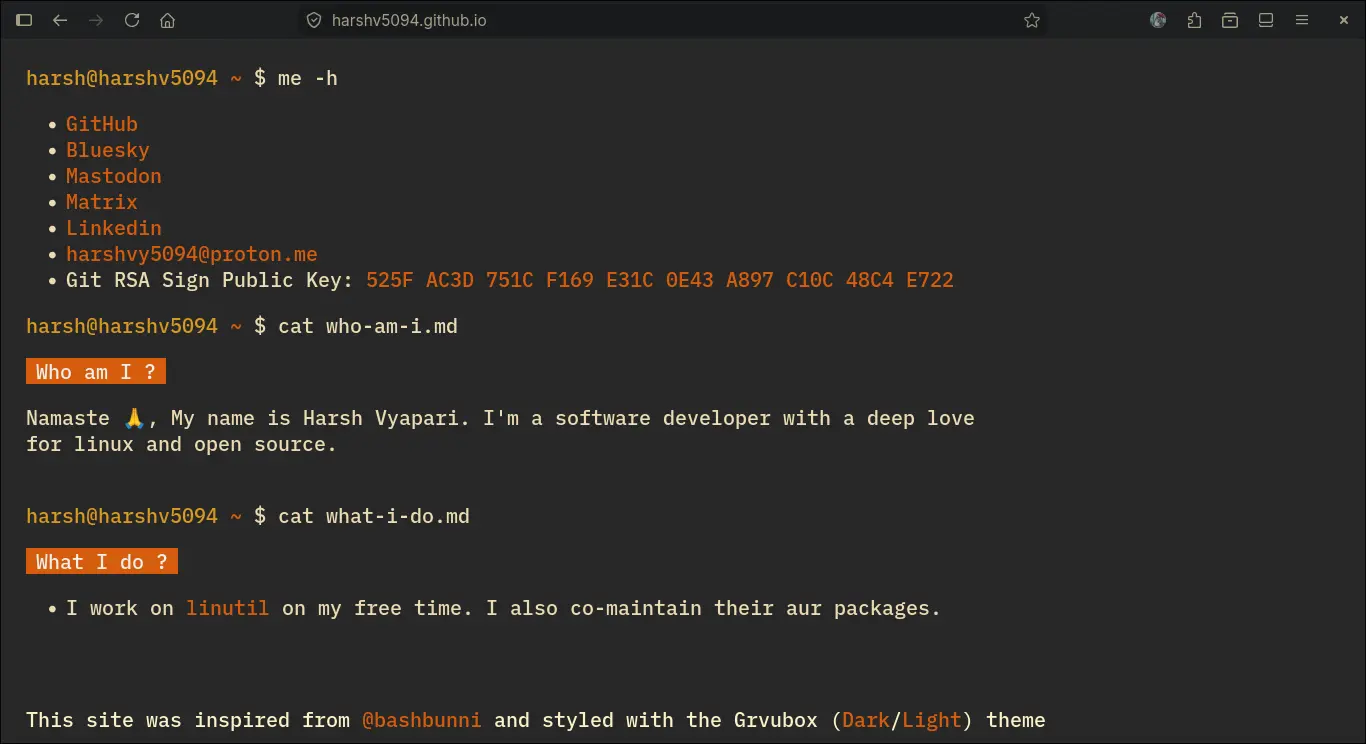
As you can see, it’s a simple website, It served me well, but I think it’s time to retire this buddy.
Now, what should I choose?
I wanted to dip my toes with blogging, technical writing. For that I wanted a website template with minimal design and flexibility to modify it on my preferences, I also wanted to use a static site generator. For a while, I’ve heard that they are easy to maintain, and let’s you focus on your writing.
I was surfing the web, that’s when I stumble upon Srirang’s site and just fell love with the. When I further researched about that, I found that he was using hugo with hugo-blog-awesome. The template was so minimal, easy to maintain and had the flexibility that I was desperately searching for. So I decided to use this template as my new blog website.
Needed some help, Opencode to the rescue
So first of all, I’m not familiar with neither go, nor hugo. So I started reading the docs, (Honestly, I wanted to quickly start my writing). So the next thing I did, I started used opencode. The model I used for this is MinMax M4, which surprisingly a very powerful model. It helped me a lot while setting up this hugo site.
Next thing I wanted to setup is my custom colors for dark and light theme. I know, I know you people are gonna ask me, “Why the hell are you changing the colors? It looks so beautiful.” and you are correct my friends. The colors look beautiful, but my heart is already belongs to gruvbox (Why the hell then I’ll change my old site colors to match gruvbox).
So I searched in the repository how I can change the colors of this site and stumble upon this discussion. It was just to add themes/hugo-blog-awesome/assets/sass/main.scss to root directory and replace the colors with what I wanted. It’s that simple! So I followed the exact same step, fired up opencode again to replace colors to gruvbox palette (Admit it, no one is going to write hex value when you have AI assistant), and voila! My colors are perfectly matching with gruvbox colorscheme. I’m gonna tweak the themes and template in the future, I’m satisfied for now with how my website turned out.
So this is how I decided, on a whim evening, on my sleep time to update my website. I’m gonna write more soon so stay tuned!
~ Harsh Vyapari ✌️